

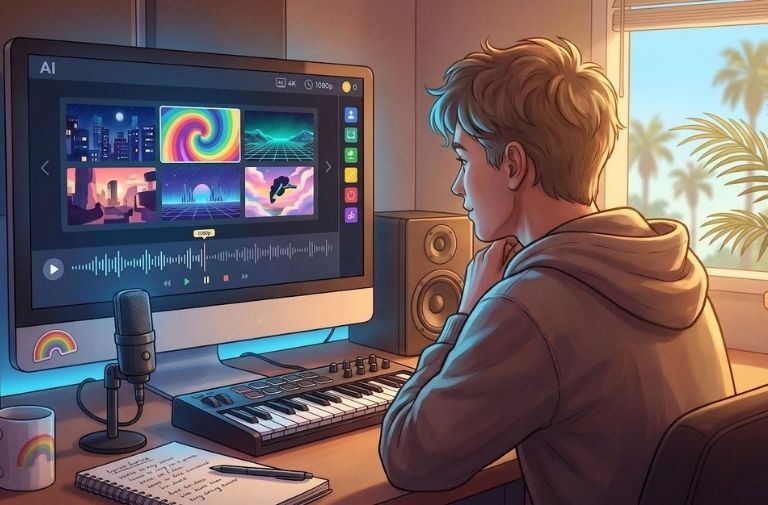
You just bounced your master, and the internet already wants visuals. In 2026 a track without a video stalls before the algorithm ever shares it. Hiring a director costs too much, and splicing random lyric clips carries you about fifteen seconds. A new crop of AI music video makers now closes that gap. We spent a month testing five of them on beat-sync accuracy, resolution, and credit cost.
How We Tested The Five Platforms
Every tool got the same 60-second chorus in 16:9, one text prompt, and one reference image. For each run we logged frame-to-beat accuracy on kicks and snares, time to first render, retries before a publishable cut, credits burned per finished minute, top resolution on the mid-tier plan, and whether a watermark survived. Tests ran from July 20 to July 27, 2026.
1. Neural Frames – Stem-Level Control In True 4K
Neural Frames feels less like a plug-and-play toy and more like a portable VFX suite. You upload your track, the platform splits it into up to eight stems — drums, bass, vocals, melodies and the rest — and lets each stem drive its own visual layer. Kick drums punch the camera forward while a soaring vocal widens color saturation. That depth of mapping is rare.
Frame-by-frame editing goes deeper still. Freeze a moment, rewrite the prompt, and the next four beats morph without disrupting the groove. One click then upscales the finished video to 4K on the upper-tier plans. Used as an audio to video tool, it turns a finished mix into a synced video without a timeline app.
That power carries a cost. We spent roughly $4.60 in credits on a final 60-second render, and the interface rewards patience over speed. For maximal control and cinema-grade resolution, nothing else here comes close.
2. BeatViz – Full-Song Storyboards With One-Click Regeneration
BeatViz takes a different route. Instead of timing every snare hit, it scans the whole track, drafts a storyboard, and drops style-matched scenes into the intro, verse and hook. Our 60-second chorus rendered in 2 minutes 45 seconds, already sliced into moveable blocks.
The timeline editor behaves like a small DAW. Drag a block, hit Regenerate, and only that slice rewrites — which saved six retries and a stack of credits in our test. Paid downloads top out at 1080p with no watermark, and credit packs start near $20 for 1,400 credits.
If you want a full-length draft fast and dislike frame-level edits, BeatViz keeps you creating instead of tweaking keyframes.
3. PixVerse VibeMV – Character-Driven Clips For Vocal Tracks
When a song leans on the singer, VibeMV is the express lane. Drop in your audio, add one headshot, and the engine builds a lip-synced avatar that mouths every line. In our test it flagged a stray lyric, let us correct it, and produced a draft in about 90 seconds.
Speed is the whole pitch. Output tops out at 720p in 16:9, so treat it as a socials-first tool rather than a source for a broadcast master. Subscriptions start at $19 per month on the Hobby plan, and free credits let you audition the workflow first.
Control stays at the surface — no keyframe tweaks, no wardrobe changes mid-hook. For a lyric video you need on TikTok tonight, that trade is usually worth it.
4. Kaiber – Batch Beat-Synced Variations With Selectable 4K Models
Kaiber is three tools sharing one media library: Beat Sync, Canvas and Editor. Beat Sync is the gateway. Drop your chorus, choose up to 10 videos per batch on the Pro plan, and Kaiber returns rhythm-locked cuts in a single pass, with auto-captions and trim handles.
Once you land on a variation you like, move into Canvas and set the model to Kling 3.0 4K, which renders native ultra-HD frames instead of upscaling. The Creator plan gives 1,500 credits a month for $29, and native renders drain them quickly.
The workflow takes practice because credits span two workspaces. Still, for a dozen social cuts now and one hero version later, Kaiber covers both.
5. Rotor Videos – Stock-Footage Montages On A Pay-Per-Download Budget
Rotor skips subscriptions. Upload your song, pick an editing style, and audition clips from a library of more than nine million stock shots. The engine auto-cuts to the beat and lets you preview unlimited watermarked drafts free. Lock a cut and you spend one credit, roughly $9 in the smallest bundle, for a 1080p master without a watermark.
The workflow favors speed over precision. You cannot grade footage or nudge transitions, though you can swap any clip. In about five minutes we built a performance-style video: drum close-ups, crowd wides, a title card to close.
Because every frame is licensed stock, the look is realistic rather than surreal — ideal for indie rock, less so for psychedelic hyper-pop.
Quick-Glance Comparison
|
Tool |
Best use case |
Stem separation |
Max verified res |
Free preview |
Entry price* |
|
Neural Frames |
Precision 4K visuals for album launches |
Yes |
4K upscale |
No (paid only) |
$26 per month |
|
BeatViz |
Full-song drafts you tweak in sections |
No |
1080p |
Yes |
$20 for 1,400 credits |
|
PixVerse VibeMV |
Selfie-led lyric videos for socials |
No |
720p |
Yes |
$19 per month |
|
Kaiber |
Batch variations, then a 4K master |
No |
Native 4K (Canvas) |
No ($5 trial) |
$5 five-day trial |
|
Rotor Videos |
Real-world stock montages |
No |
1080p |
Unlimited previews |
1 credit ≈ $9 |
*Pricing checked the week of August 27, 2026.
How To Choose The Right Generator
Start with control. Neural Frames maps up to eight stems to visual parameters when you want every snare hit to move the camera; BeatViz auto-storyboards and lets you regenerate single sections when a near-finished draft suits you better.
Then weigh resolution against speed. Kaiber reaches native 4K fastest through Kling 3.0 but burns extra credits, and Neural Frames upscales any render to 4K while preserving stem-based effects. Rotor caps at 1080p, and PixVerse VibeMV at 720p.
Finally match the budget. VibeMV starts at $19 per month, while Rotor lets you preview endlessly and pay about $9 per download.
These tools don't have to replace an existing creative workflow. Generated clips can be incorporated into existing workflows alongside tools such as Adobe Premiere Pro and Photoshop. Pick what aligns best with your existing workflow and desired control, resolution, speed, and budget.
FAQ
Can AI really make a music video from my own song?
Yes. Every tool here accepts an uploaded track and generates synced visuals. Your role shifts from animator to creative director. Neural Frames maps each audio stem to a visual parameter; Rotor assembles licensed stock around your beat.
Which platform is best for 4K, audio-reactive visuals?
For true 4K, Kaiber Canvas with Kling 3.0 renders native UHD frames. Neural Frames upscales any render to 4K while preserving stem-based effects. If resolution ranks first, start with Kaiber's $5 trial and compare grain and credit burn against a Neural Frames upscale.
Conclusion
Pick the first tool that satisfies your must-have column — control, resolution or cost — and test a single chorus before committing to a larger credit pack.
The views, opinions, and recommendations expressed in this article are solely those of the author and are provided for informational and editorial purposes only. They do not constitute professional advice and should not be relied upon as such. OutSFL makes no representations or warranties regarding the accuracy, completeness, or applicability of the content and assumes no liability for any actions taken based on it. The views expressed do not necessarily reflect those of OutSFL.